
Reordering your study topics with LiChess Tools
... I am quite happy with how that came out.
Minimal coding, maximum effect. What can possibly be better?
In LiChess Tools v2.4.102 you can now reorder your study topics, as well as expand/collapse the topics in the side navigation bar to show you the studies you have under that topic.
Here's how it looks:
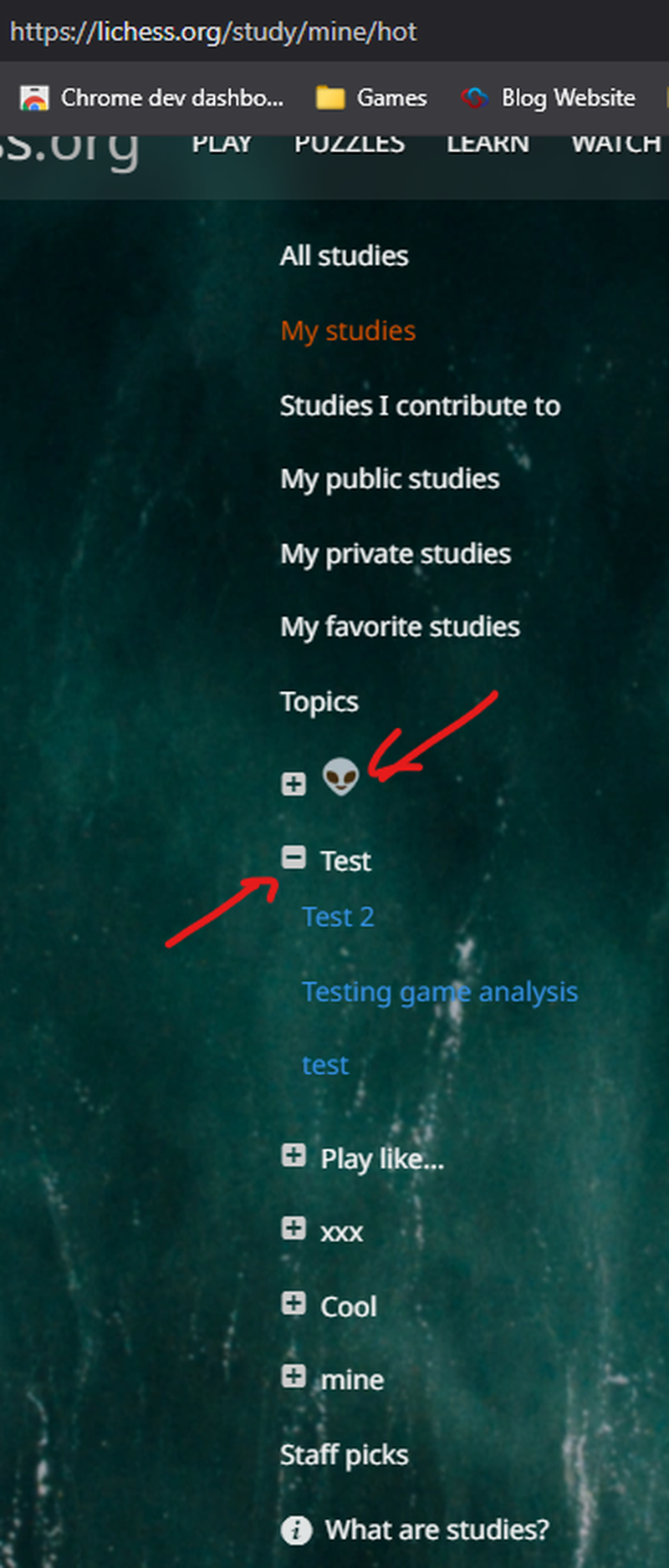
The topics can be rearranged by dragging and dropping, just like study chapters. The first topic is a topic flair - another LiChess Tools feature. People without LT see a topic that looks like "flair.smileys.alien", so no big problem.
But there is more. You can do the same reordering by dragging and dropping the topics in the topic management textbox. This might even be more intuitive:
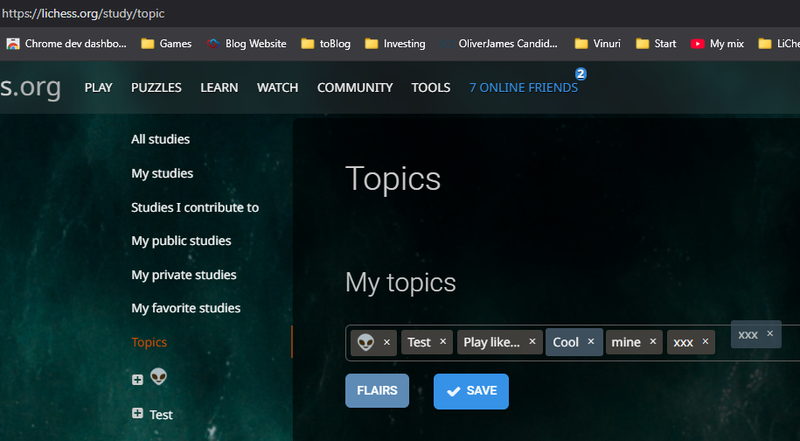
You reorder them as you like, then you click Save.
Let me know what you think!
P.S. At this moment the ordering works wonders, but it's being reset by any change to a study topics. An issue has been raised: https://github.com/lichess-org/lila/issues/18407
You may also like
 TotalNoob69
The REAL value of chess pieces
... according to Stockfish TotalNoob69
Analyzing a single position
... by a noob TotalNoob69
Best opening for White after e4 e5 ?!
... people who know do, people who don't know write blog posts TotalNoob69
True chess collaboration
... I can't believe chess information is so disorganized CM HGabor
How titled players lie to you
This post is a word of warning for the average club player. As the chess world is becoming increasin… thibault