
I MADE LICHESS LOOK LIKE CHESS.COM
Did you know that Prettier Lichess extension can make Lichess's simplistic design into this....
Around somewhere in our heart , many of us love chess.com's UI, asthetics, style, colours, pieces, bots etc etc but then most of us gets disappointed by seeing the diamond membership advertisement. I saw various method in internet to convert chess.com look like lichess....but never seen the vice versa.
Now you would ask me why would you need to convert lichess to look like chess.com, I mean aren't they different website and works differently...
Well its completely your personal choice to do that but let me tell you my story, I personally like to play in chess.com for the asthetics but when it comes to improvement , I mainly improved because of lichess's priceless feature Free Unlimited Puzzle, but still I liked the UI of chess.com much more So i did the puzzles from here and played in chess.com...
But the thing is if the reason of switching between website is asthetics....why not change the asthetics of my most favourite website lichess to have chess.com feel, I mean the main motive of playing chess is to enjoy the journey of playing chess, day by day improving by solving hundreds if not thousands of puzzle, analyzing you own games etc etc... so why not doing all of that which I mentioned, for free in this one and only GOAT website Lichess.org while having the feel of chess.com , satisfying the need of astheticity while enjoying unlimited puzzle, studies etc etc for free...
Okay seriously enough yapping lets get straight to the point....
I will first show you the results of this conversion.... and then I will show you how to do it...
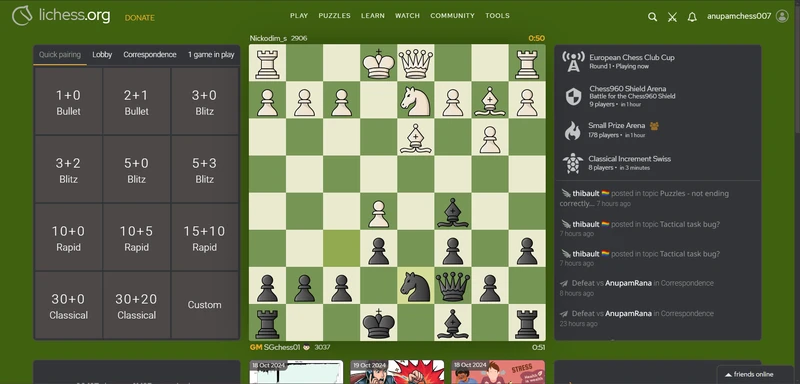
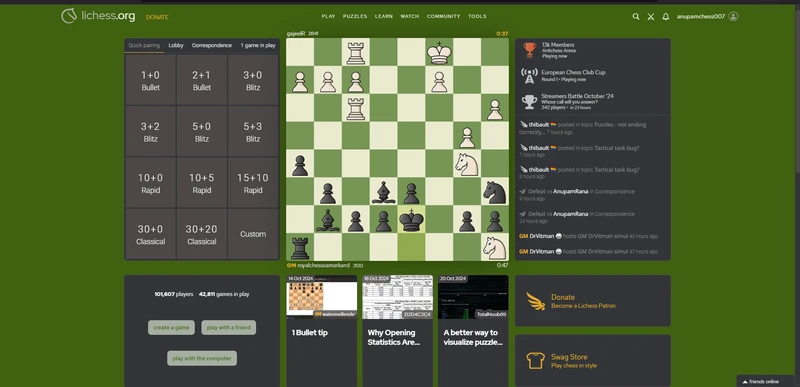
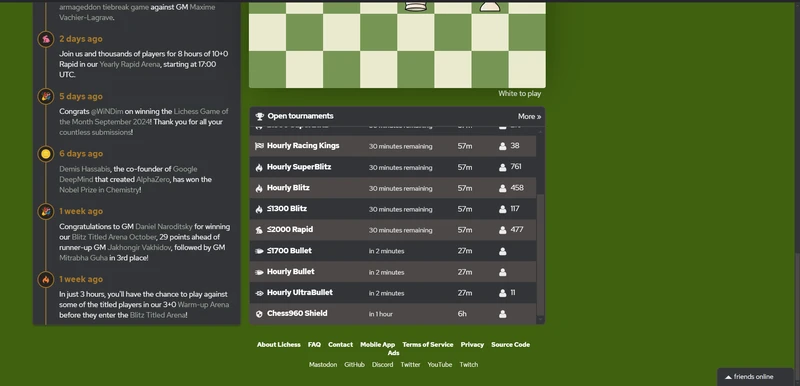
Maybe they are looking a bit dull but trust me, If you customize your lichess website just as I tell, they look really good in real life or should i say from your screen.
I even changed the arrows and made them look like chess.com's arrows.
The Actual Conversion
Now to customise this at first you need to install an chrome extension named "Prettier Lichess"
Link of the prettier lichess extension
you installed the extension? Very Good!! Now change the default colour codes as I show below...
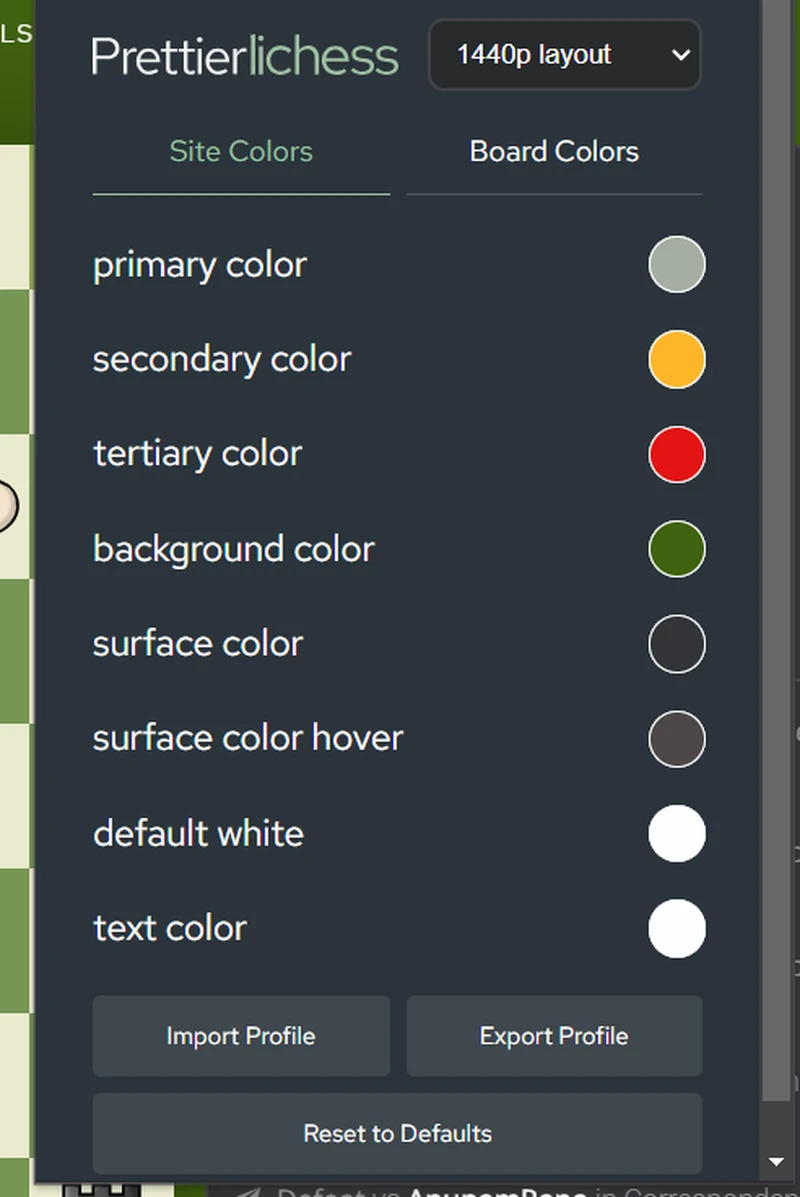
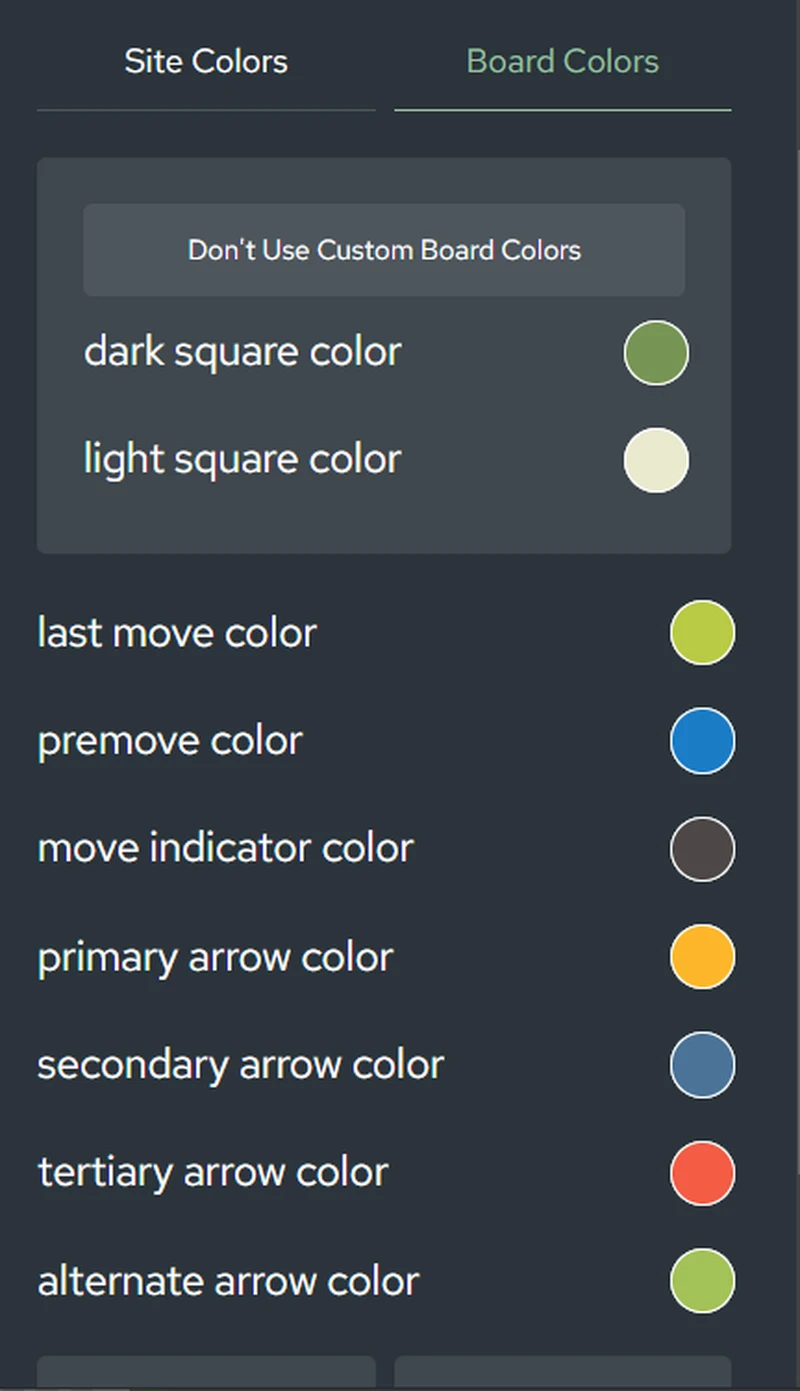
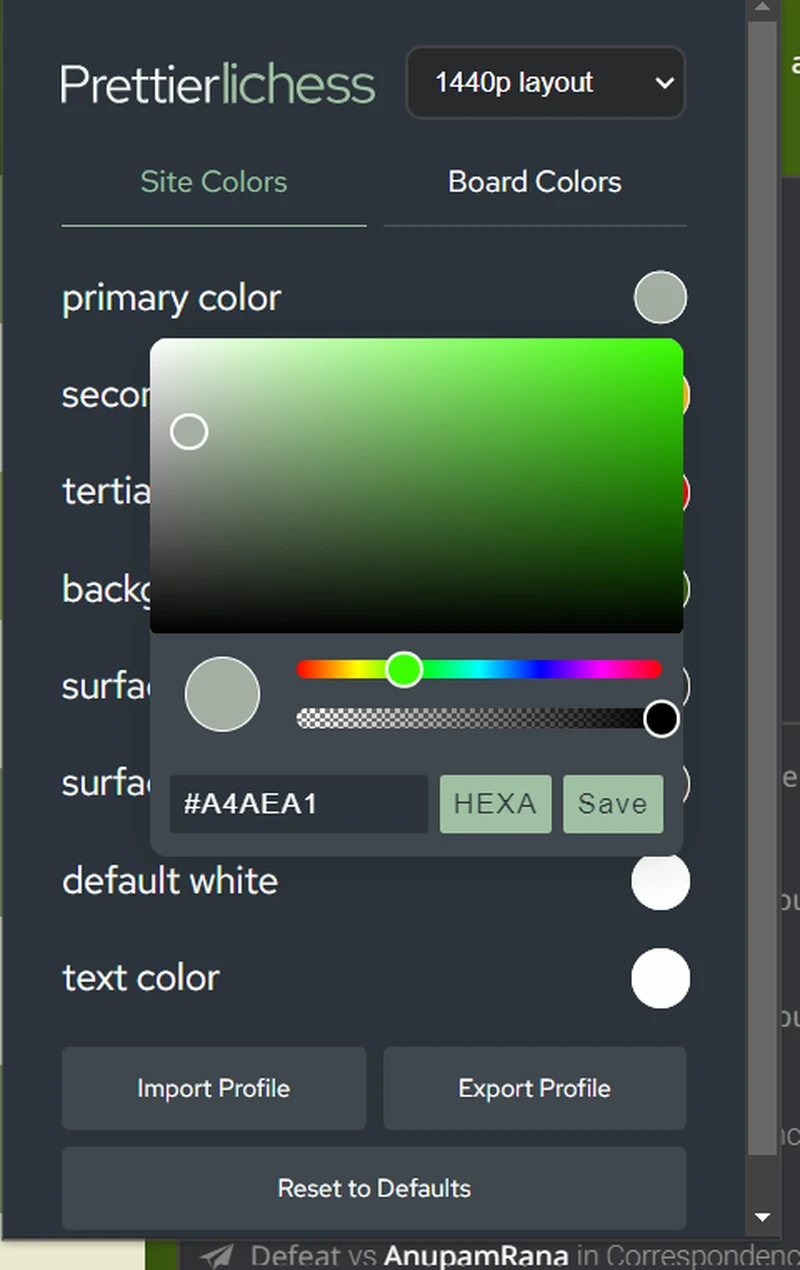
These are the Hexacodes of mine
Site Colors
- Primary color - #A4AEA1
- Secondary color - #FCB62A
- Tertiary color - #E21414
- Background color - #406110
- Surface color - #333538
- Surface color hover - #4C4847
- Default white - #FEFEFF
- Text color - #FEFEFF
Board Colors
- Dark square color - #779555
- Light square color - #EAEACF
- Last move color - #BACA45
- Premove color - #1B7CC7
- Move indicator color - #4C4847
- Primary arrow color - #FDB72A
- Secondary arrow color - #4B7398
- Tertiary arrow color - #F35C45
- Alternate arrow color - #A3C258
Paste it all in their respective places and save and u will see the conversion.....
Also Do not forget to change the piece set to Maestro this is because Lichess's Maestro chess set very much resembles with the chess.com's Ocean piece set...
If done correctly you will see the resemblance of this theme with chess.com...
